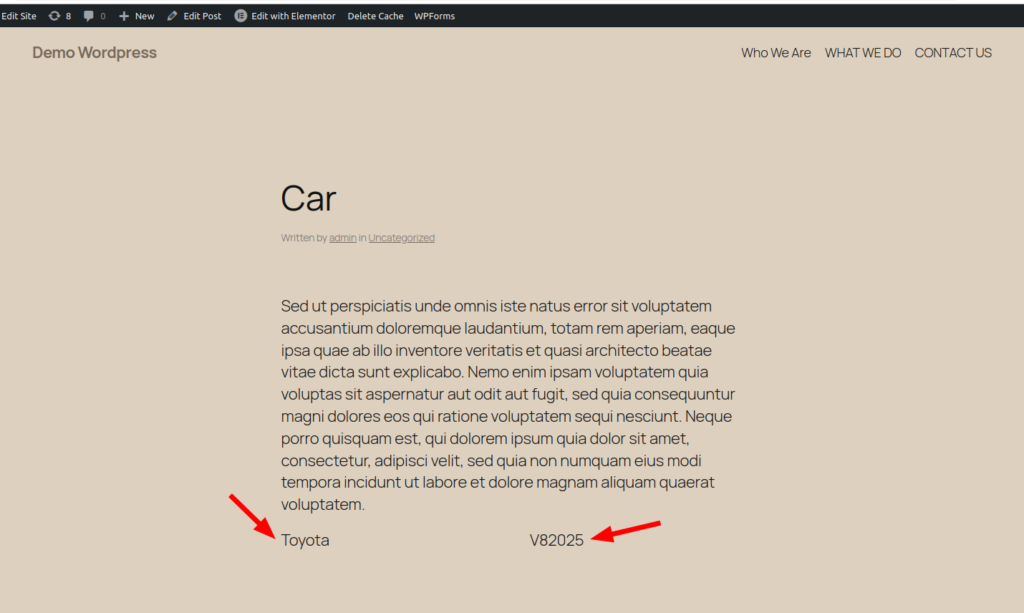

How to add meta or custom fields:-
> Login to wordpress as admin user
> Add a new post, with title “Car” & some description
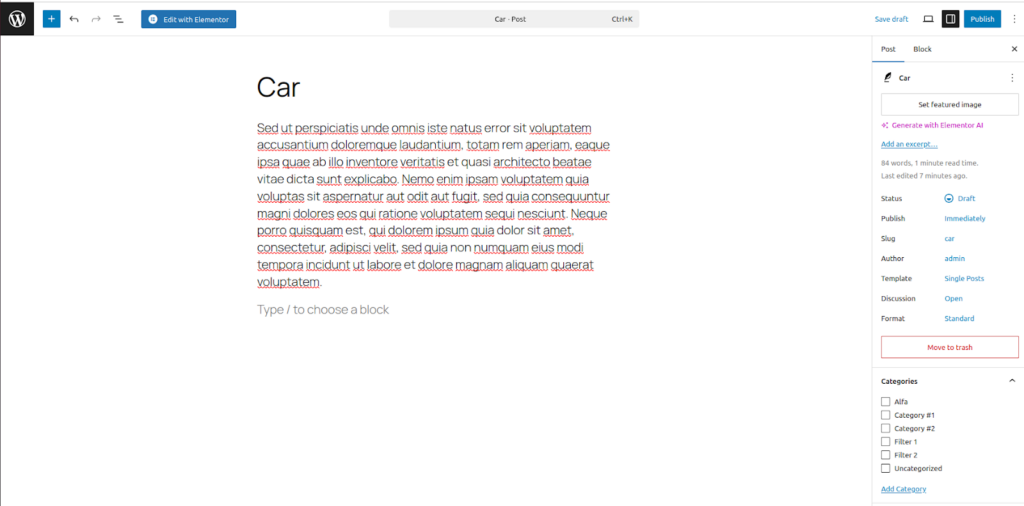
let’s say you are going to add a post about a car & you want to add 2 custom fields “Brand” & “Model” go through following steps to enable and add custom fields for your post.
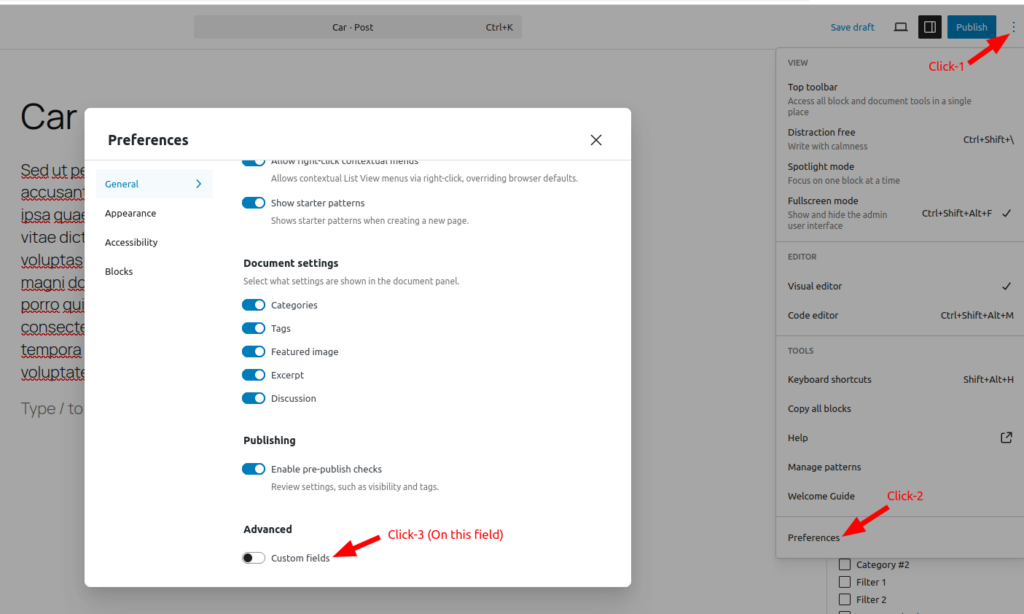
> Click on “Options”
> Click on “Preferences”
> On the the “Custom fields”
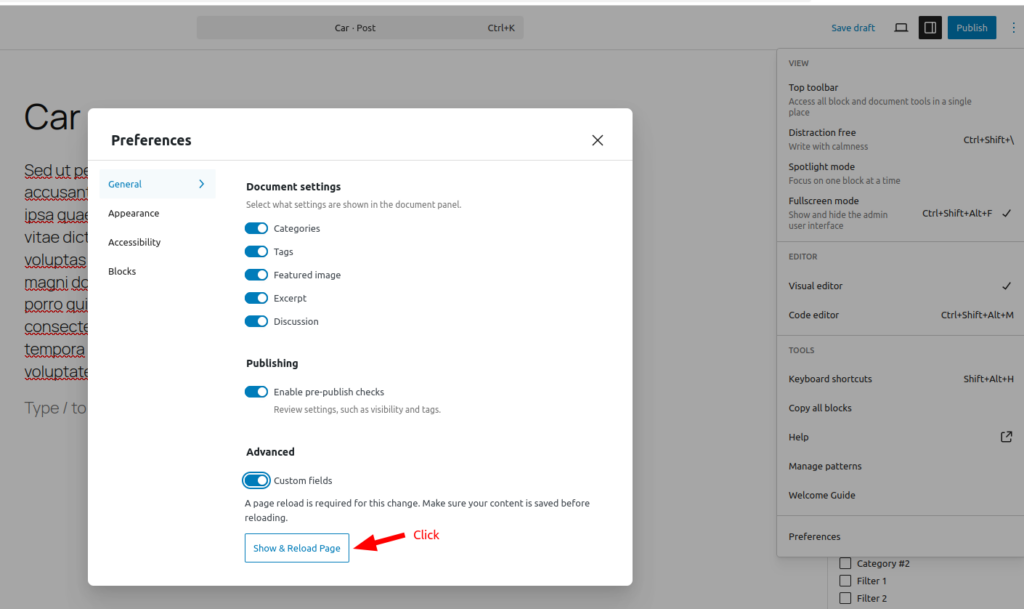
Once you ON the “Custom fields” it will ask you to “Show & Reload Page” click it button
Once the page is reloaded it will show the interface to add custom fields.
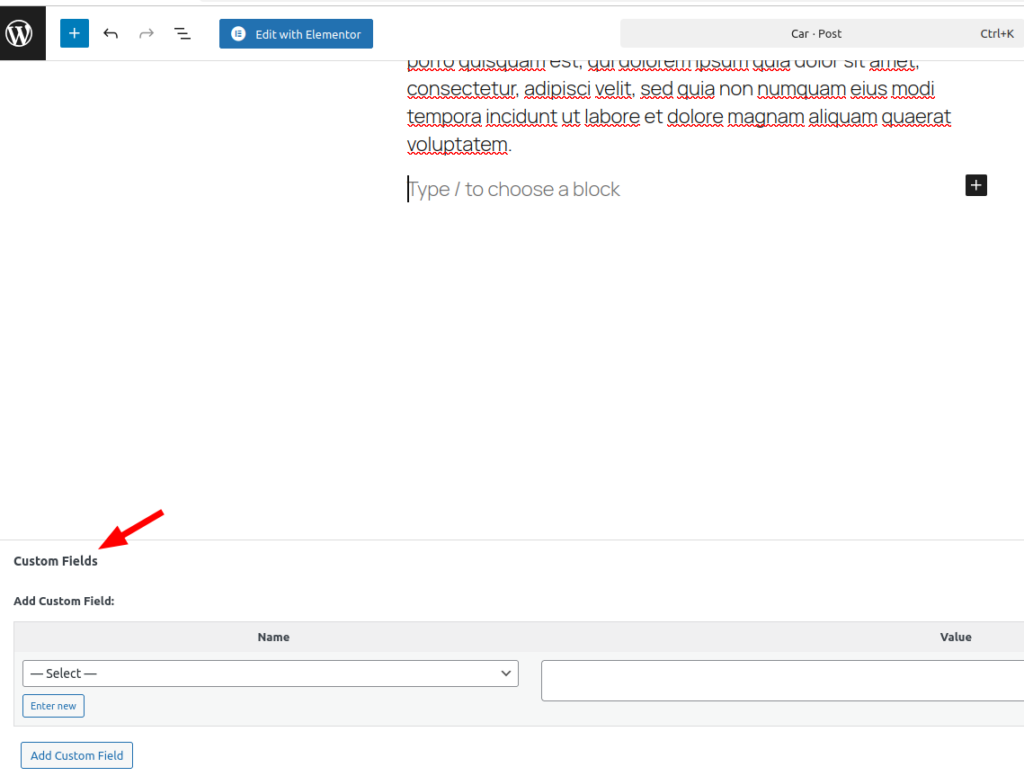
> Click on “Enter new” button
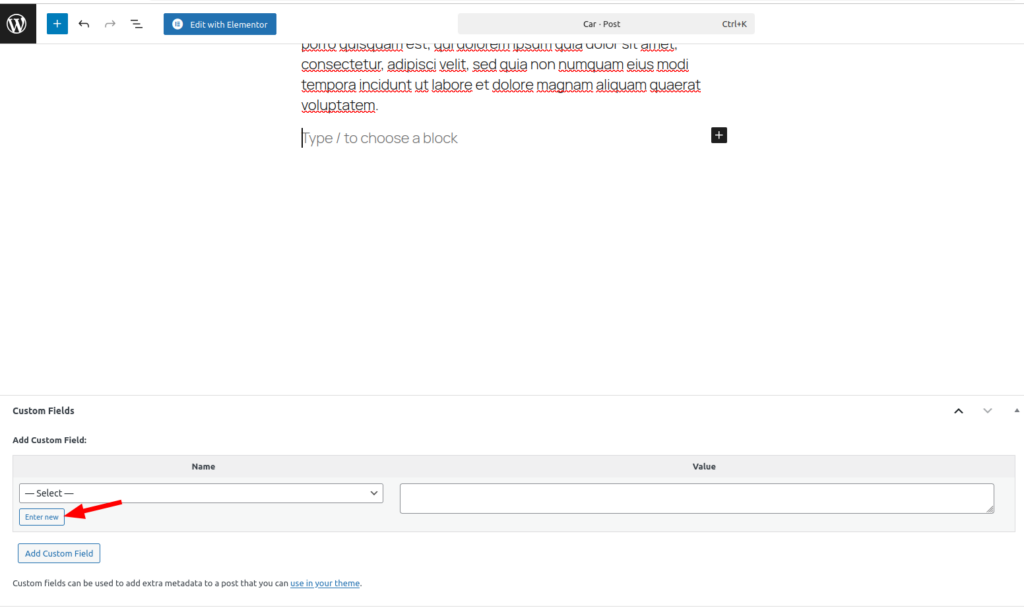
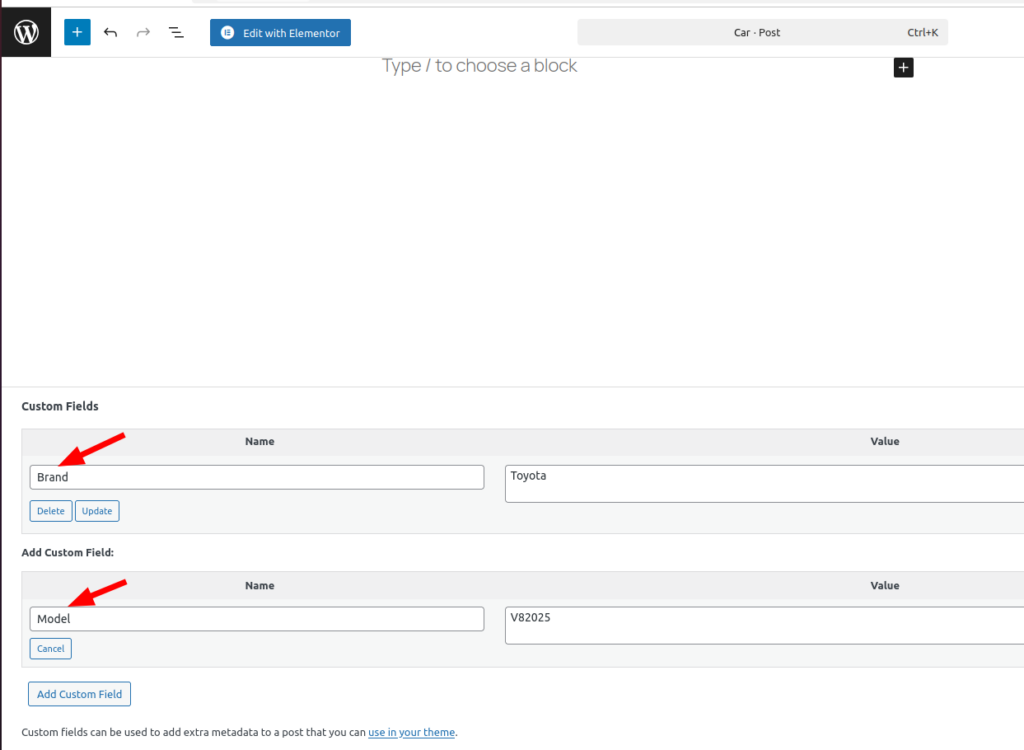
> Add field “Brand” and its value “Toyota”
> Click on “Add Custom field” to add an other file “Model” and its value “V82025”
Then click on “Publish”
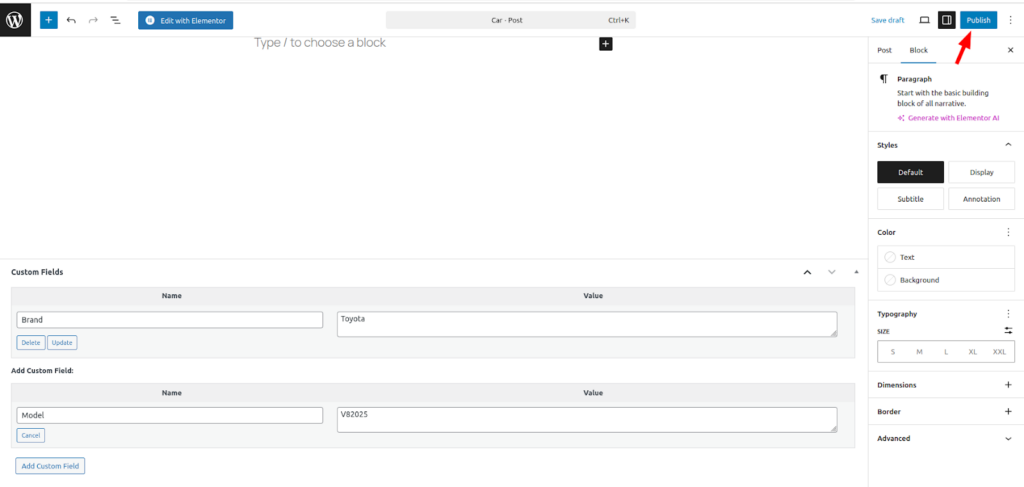
After publishing the post you will notice in view mode custom fields “Brand” & “Model” not visible.
Actually for showing these custom fields on post’s view mode it needs to add a shortcode in your theme’s functions.php file or in some custom plugin file. We have added in the theme’s functions.php file.
// Shortcode to display the ‘Brand’ meta field
function ttf_brand_meta_shortcode() {
// Get current post ID
$post_id = get_the_ID();
// Get the meta field value for key ‘Brand’
$brand = get_post_meta($post_id, ‘Brand’, true);
// Return the value safely
return esc_html($brand);
}
add_shortcode(‘brand_meta’, ‘ttf_brand_meta_shortcode’);
// Shortcode to display the ‘Model’ meta field
function ttf_model_meta_shortcode() {
// Get current post ID
$post_id = get_the_ID();
// Get the meta field value for key ‘Model’
$model = get_post_meta($post_id, ‘Model’, true);
// Return the value safely
return esc_html($model);
}
add_shortcode(‘model_meta’, ‘ttf_model_meta_shortcode’);
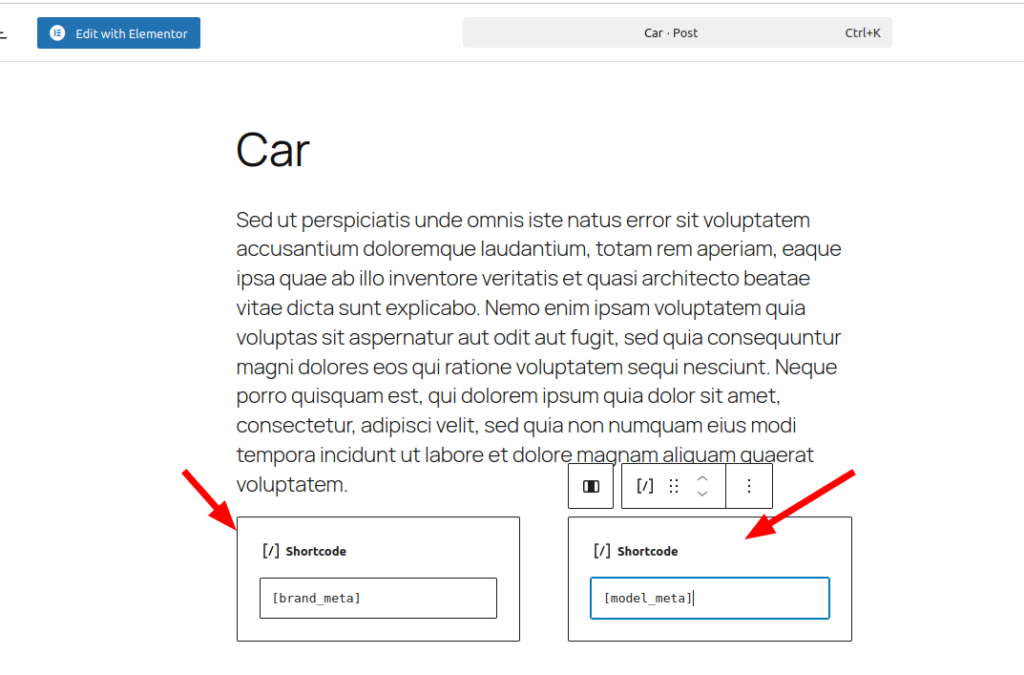
> Then on post’s editor add 2 columns
> Then in 1st column add shortcode [brand_meta] & in 2nd column add shortcode [model_meta]
Finally view your post, you will see the “Brand” & “Model” custom fields.